
Run Across America
Cockpit Mobile, Inc.Events
3.8279.00 Reviews
- Version
- 1.0.121
- Installs
- 10.00K
- Age Rating
- Everyone
Screenshots
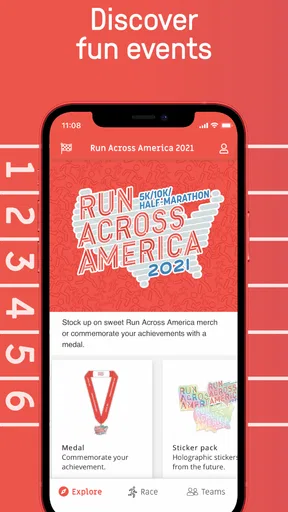
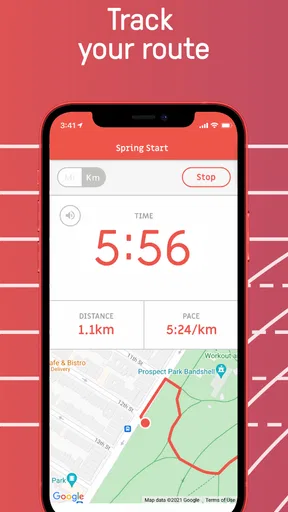
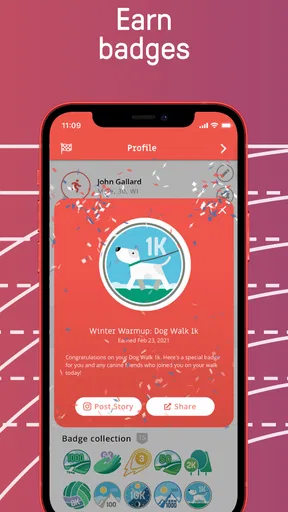
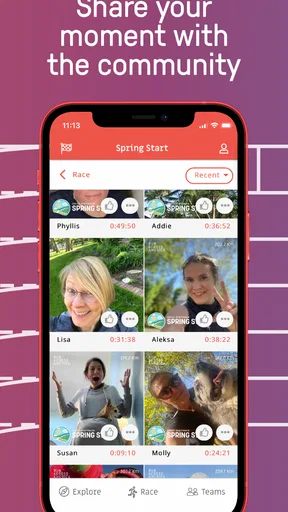
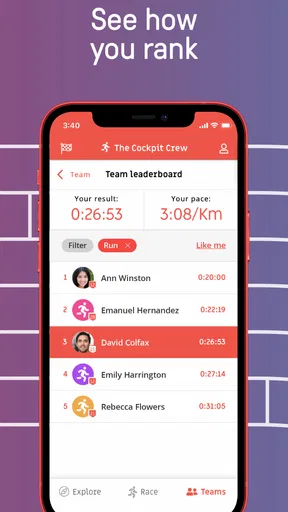
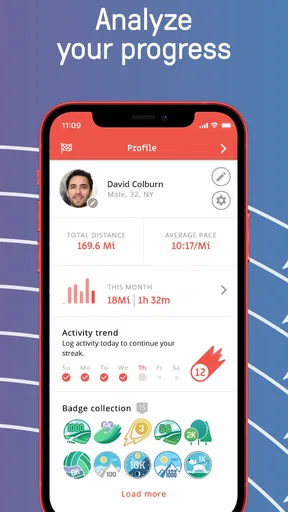
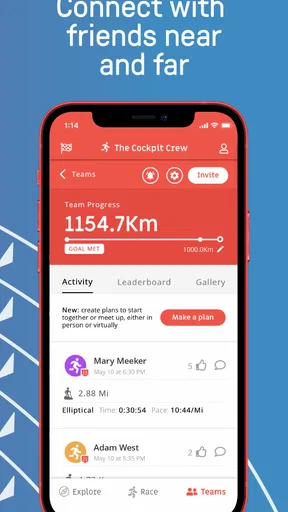
Our Review of Run Across America
 Analysis by Appyee
Run Across America is the kind of event app I would install when I want one focused place for a specific running experience rather than another general fitness tracker. It is the official app for Run Across America, developed by Cockpit Mobile, Inc., and its purpose is narrower than apps built around long-term training, route planning, or social exercise feeds. That narrow focus can be a strength: when an event app stays focused, it is easier to understand what it is meant to help me do.
My first impression is that this is best treated as an event companion, not as a replacement for a full running platform. I would not choose it as my only tool for building a training plan or analyzing every aspect of my fitness. I would choose it when taking part in Run Across America and wanting the event’s information in a dedicated mobile space. That distinction matters because it sets realistic expectations before downloading.
How the app feels during ordinary use
The app is free, carries an Everyone content rating, and runs on Android devices using at least version 7.0. Those details make it approachable for a wide range of users, including people who may be using an older phone instead of a recent flagship. The current release is version 1.0.121, so anyone considering installation should still leave a little room for a normal app update and avoid waiting until the last minute before an event.
In terms of perceived speed, I would expect a focused event app to feel lighter than a large fitness service packed with maps, feeds, training dashboards, and background syncing. Run Across America has a clear job, and that usually helps an app feel less cluttered when I am trying to find event-related information quickly. The important practical point is not to confuse a simple interface with a full running toolkit. A streamlined companion can be fast to open and easy to scan while still offering fewer tools than a dedicated tracker.
For an everyday scenario, imagine checking the app while preparing for a morning event. I would open it before leaving home, review the information I need, and keep my attention on getting ready rather than moving between several unrelated services. At the venue, that focused approach becomes more useful because I am less likely to want a complicated training dashboard when I mainly need event context.
The best performance expectation is quick access to event information, not advanced athletic analysis. That is the trade-off I would keep in mind. If your priority is a clean companion for this particular event, the app’s limited scope may work in its favor. If you want detailed pace breakdowns, route creation, structured workouts, or a broad running community, a conventional fitness app is likely to feel more complete.
What happens during heavier use
The most demanding moments are likely to come when many participants are preparing for or taking part in the event at the same time. That is when an event app matters most, and it is also when users naturally expect information to be available without hesitation. I would therefore install and open Run Across America before arriving, rather than treating the event itself as the first test.
That small preparation step has a practical advantage. It gives me time to sign in or explore the available screens while I am still somewhere comfortable, with charging and a dependable connection nearby. If the app needs to refresh information at the venue, I would rather discover any delay before the start of the day. This is a useful workflow for any event-specific app, but it is especially important when the app has a narrower purpose and I may depend on it at a particular moment.
I would also avoid repeatedly opening and closing the app just to keep checking for changes. That habit can drain attention and battery without giving me a better experience. Instead, I would check the relevant information at sensible points: before leaving, after reaching the event area, and whenever I have a clear reason to look again. This is not a claim about hidden background behavior; it is simply a sensible way to use a mobile event companion during a busy day.
Another useful trade-off is to keep a second source of essential personal information. Run Across America can be the dedicated event app, but I would still keep my own meeting details, travel plan, emergency contacts, and personal running records somewhere I already trust. That does not weaken the app’s value. It prevents one event tool from becoming a single point of failure for everything I need during the day.
Compared with a general fitness app, this focused approach should reduce distractions. A broad fitness service may offer more detailed tracking, but it can also place event information beside unrelated workouts, challenges, advertisements, or social updates. Compared with a paper schedule or a message thread, a dedicated app should be easier to revisit, provided the information I need is presented clearly and remains accessible when the event is busy.
Stability and practical reliability
Reliability is more than whether an app launches. For Run Across America, I would judge it by how confidently I can use it before and during the event, how clearly it presents information, and whether it remains useful when my attention is divided. The official status is reassuring in one sense: I am using the app associated with the event rather than relying entirely on an unofficial guide or a collection of screenshots.
At the same time, an official app is not automatically the right tool for every need. I would still keep my phone charged and avoid depending on the app for information that I have not checked in advance. Event conditions can be hectic, mobile connections can vary, and a phone may be busy with calls, navigation, music, or a fitness tracker. A reliable personal routine is therefore part of getting reliable results from the app.
The app has an average rating of 3.8 from over 500 ratings, with over 200 written reviews. I read that as a mixed but usable signal rather than a reason to dismiss it. It suggests that the experience may not be equally satisfying for everyone, which is common with event apps because their usefulness depends heavily on timing, expectations, and the specific information a participant wants. I would pay more attention to whether the app fits my event-day needs than to expecting a flawless all-purpose running experience.
Its install base is over 10 thousand, which gives it a meaningful audience without making it feel like a universal platform used by every runner. That scale fits the app’s identity as a dedicated event companion. I would not select it because it has the largest running community; I would select it because it is connected to Run Across America.
One reliability habit I recommend is opening the app several days before the event instead of only minutes before it. This gives me time to confirm that my phone supports it, that the installation completed correctly, and that I understand where the important information is located. It also lets me decide what I should save separately for quick reference. That preparation is one of the most valuable ways to reduce friction without assuming features the app may not provide.
Older phones, storage, and battery choices
Because the minimum operating system is Android 7.0, the app is not limited to only the newest Android hardware. That is helpful for participants who keep an older phone as their everyday device or as a backup for event days. Still, operating-system compatibility does not guarantee identical speed on every phone. A newer device may open and switch screens more comfortably, while an older one may need more patience if other apps are running at the same time.
I would prepare an older phone by restarting it before the event, clearing enough storage for normal updates, and closing apps I do not need. These steps are not special Run Across America features; they are practical ways to give any event app a better chance of responding smoothly. I would also bring a charger or power bank if I expect to use navigation, music, camera functions, or a separate running tracker alongside it.
Battery use deserves a realistic distinction. The app is not automatically a heavy battery user simply because it is related to running. The bigger drain on an event day may come from screen brightness, GPS navigation, mobile data, Bluetooth accessories, music streaming, and repeated camera use. I would therefore avoid judging the app alone if my phone loses power quickly while all of those services are active.
For a low-stress setup, I would use Run Across America for event information and let a dedicated fitness app or watch handle continuous workout recording if that is important to me. Separating those jobs can make the phone easier to manage. It also avoids expecting a single app to provide both official event guidance and the detailed personal metrics that specialist running tools are designed to collect.
iPhone users should note that the confirmed compatibility detail here is for Android, so I would check the relevant Apple store page on the device before planning around it. That is a sensible step for any event-specific download, especially when the app is central to a schedule or attendance plan. The key lesson is simple: test the exact device you will carry, not just another phone in the household.
Who will get the most from it
I see Run Across America working best for participants who want an official, focused mobile reference for this event. It is also a reasonable choice for someone who dislikes juggling a website, email thread, printed notes, and a general fitness app. The dedicated format can make event preparation feel more organized, particularly when I want to separate event information from my everyday running history.
It may also suit occasional runners who do not want to learn a complicated training platform. A broad fitness app can be intimidating when the immediate goal is simply to take part in one organized experience. A focused companion is easier to justify in that situation because I am not paying for it; the app is free, and its Everyone rating makes it suitable for a broad audience.
I would skip it as my primary running app if I am mainly interested in building a progressive training schedule, comparing personal records, analyzing heart-rate zones, designing routes, or joining a large social running network. Those needs call for a specialist tool with a different design priority. Installing this app will not turn it into a complete replacement for that kind of platform.
I would also be cautious if I expect every event detail to remain useful without preparation or if I prefer to keep all information in a wearable. In that case, the app may feel like an extra step rather than a benefit. Its value is highest when I want the event’s own mobile presence and am comfortable using the phone as part of my preparation.
My performance verdict
After looking at the app through the lens of speed, busy event moments, stability, and device limits, I see a practical but specialized tool. Its strengths come from focus and official event relevance, not from trying to compete with mature fitness platforms on every feature. That makes my recommendation conditional but positive: I would install it if I were taking part in Run Across America, and I would explore it before the event rather than waiting until the start.
The rating of 3.8 and the size of its review community tell me to keep expectations measured. I would not describe it as an essential download for every runner. I would describe it as a sensible companion for the people who need this event’s information in a dedicated app and who understand that a focused event tool has a different role from a full training tracker.
My final advice is to use it alongside, not instead of, the tools that protect the rest of your day: a charged phone, saved personal details, a travel plan, and a separate tracker if detailed workout records matter to you. That combination gives the app a clear job and avoids overloading it with expectations it was not designed to meet.
For me, Run Across America earns a place on the phone of an event participant because it is free, accessible on older Android software, and centered on one recognizable purpose. I would recommend it to a friend who is attending and wants an official mobile companion. I would not recommend it to a runner searching for a complete fitness ecosystem. Used in the right context, its focused design is more useful than its modest scope might first suggest.
Verdict
Strengths of Run Across America
- Simple controls make it easy to start running immediately.
- Short sessions fit well into quick breaks or daily routines.
- Bright visuals make the gameplay easy to follow on small screens.
- Progress tracking can encourage regular play and personal improvement.
- Runs smoothly on many modern Android and iOS devices.
Limitations of Run Across America
- Repetitive gameplay may become predictable after extended sessions.
- Some challenges can feel difficult without frequent practice.
- Requires patience when obstacles appear in quick succession.
- Limited depth may disappoint players seeking a complex running game.
- Performance and available features may vary by device.
Similar Picks in This Category
View All
Easy Quran Mp3 Audio Offline
Muslim Worldapp4.7

Invitation Maker: Cards & RSVP
Greetings Island4.9

StubHub - Live Event Tickets
StubHub4.3

Fever: Events & Tickets
Fever Labs4.7

Epic Freebie Games Radar
Arioch Pds - Apps & Games4.4

Invitation card Maker, Design
Splendid App Maker4.9
Frequently Asked Questions
What is Run Across America?
Run Across America is a fitness and running app designed to turn your everyday activity into a virtual journey across the United States. As you walk or run, the app tracks your progress and translates your distance into movement along a mapped route. It is intended to make regular exercise feel more motivating by combining workout tracking with a long-term travel-style challenge.
How does Run Across America track my running or walking distance?
The app generally relies on activity data collected from your phone, and depending on the version and device, it may use GPS, step tracking, or integration with a health platform. Before starting, you should allow the requested permissions and check that location and motion tracking are enabled. Accuracy can vary indoors, in crowded areas, or when battery-saving settings restrict background activity.
Can I use Run Across America for walking as well as running?
Yes, the concept is suitable for users who walk, jog, or run, making it accessible to different fitness levels. You do not need to be a competitive runner to benefit from the virtual route. Consistent daily movement is the main focus, so the app can work for casual walkers, beginners building a routine, and experienced runners who want an additional long-distance goal.
Does Run Across America require a subscription or in-app purchases?
The available features, pricing, and subscription options may depend on the platform and the current version of the app. Some functions may be available for free, while advanced tracking, challenges, route details, or additional content could require payment. Check the app store listing and the in-app purchase screen carefully before subscribing, especially for renewal terms and trial-period conditions.
Is Run Across America suitable for beginners?
Run Across America can be a good choice for beginners because it focuses on gradual progress rather than requiring a specific pace or distance from the start. The virtual journey provides a clear long-term objective, which may help users stay motivated. However, the app should complement—not replace—safe training habits, including rest days, suitable footwear, hydration, and a gradual increase in activity.
